
Best Desk Setup Ideas for Programmers
Practical desk setup ideas, accessories, and layout tips for programmers who want a cleaner, calmer workspace.
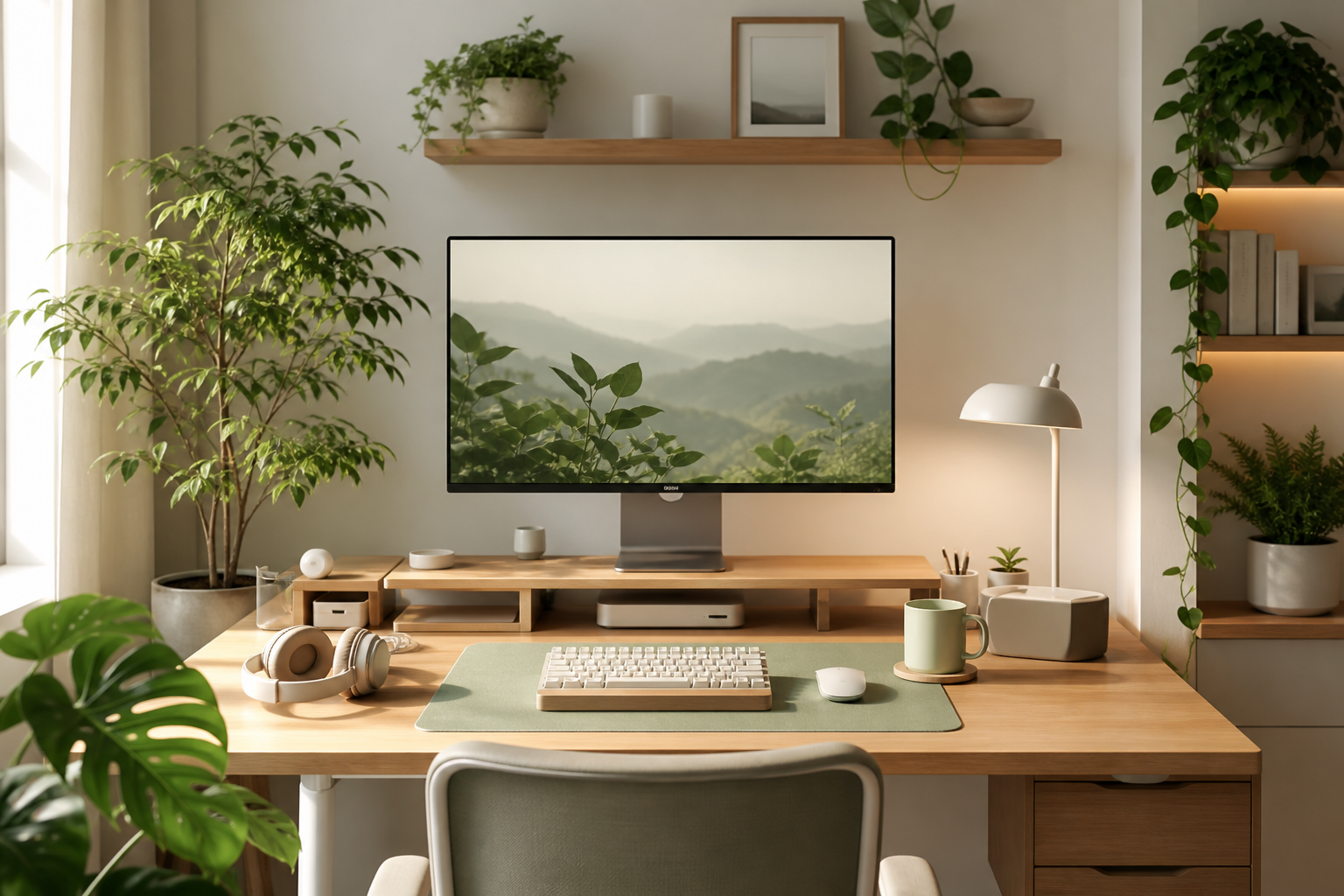
Quick Picks
Start with these upgrades
Best first upgrade
Monitor arm
Frees desk space, improves screen height, and makes the surface easier to clean.
Best comfort upgrade
Keyboard and mouse
Your input devices matter more than decorative accessories when you type all day.
Best visual upgrade
Monitor light bar
Adds soft desk lighting without taking up precious side space.
Best cable upgrade
Under-desk cable tray
One of the fastest ways to make the entire setup look cleaner.
A good programming desk setup is not about making your desk look expensive. It is about making your workday feel easier.
Programmers sit for long hours, switch between documentation and code, join calls, debug problems, and often work with multiple windows open at the same time. A clean and practical desk setup can reduce friction in all of those moments.
The best desk setup for programmers should help you see clearly, type comfortably, manage cables, stay focused, and keep the tools you use most within reach. It should also be easy to maintain. A beautiful setup that becomes messy after two days is not a good setup.
This guide covers practical desk setup ideas for programmers, developers, remote workers, Mac users, and small desk users. You will find layout ideas, product categories to consider, cable management tips, lighting suggestions, and example setups you can adapt to your own workspace.
What Makes a Good Programmer Desk Setup?
A good programmer desk setup has three jobs.
First, it should support long work sessions. Your monitor should be at a comfortable height. Your keyboard and mouse should not force your wrists into an awkward angle. Your chair and desk height should let your shoulders relax.
Second, it should reduce visual noise. Programmers already deal with enough mental load. A messy desk full of tangled cables, random chargers, and unused gadgets can make the workspace feel heavier than it needs to be.
Third, it should match the way you actually work. A backend developer, frontend developer, mobile developer, designer-developer, and remote engineering manager may all need different setups. The goal is not to copy someone else's desk exactly. The goal is to build a workspace that supports your daily workflow.
Desk Layout Ideas for Programmers
The most important layout decision is where your main screen sits.
For most programmers, the main monitor should be directly in front of the chair. This keeps your neck neutral and avoids constant twisting. If you use a second monitor, place it slightly to the side and angle it inward.
A simple layout might look like this:
- Main monitor centered
- Laptop on a stand to the left or right
- Keyboard centered with the monitor
- Mouse or trackpad close to the keyboard
- Desk mat under keyboard and mouse
- Dock or hub hidden behind the monitor or under the desk
- Headphones on a stand or hook
- Notebook or small tray on one side
Avoid placing your keyboard too far back. If your arms are constantly reaching forward, your shoulders will feel it by the end of the day.
Also avoid pushing everything against the back edge of the desk. Leave enough space for your arms to rest naturally. A clean desk is useful only if it is still comfortable to use.
Monitor Setup Ideas
For programming, screen space matters. You do not always need more monitors, but you do need enough room to work without constant window switching.
A common setup is one large external monitor, usually between 27 and 32 inches. This works well for developers who want code, terminal, browser, and documentation visible without using multiple displays.
A dual-monitor setup can also work well. For example, you can keep your editor on the main screen and use the second screen for documentation, browser previews, logs, chat, or database tools.
Some programmers prefer a vertical monitor. This can be useful for reading long files, logs, documentation, or pull requests. A vertical side monitor can be especially helpful if your main monitor is already wide.
If you use a MacBook, you can use the laptop screen as a secondary display. Put the laptop on a stand so the screen is closer to eye level. This looks cleaner and prevents you from looking down all day.
A monitor arm is one of the most useful accessories for this part of the setup. It lets you adjust height and depth while freeing up the space normally taken by a monitor stand.
Keyboard Setup Ideas
Programmers type constantly, so the keyboard deserves more attention than many other accessories.
A full-size keyboard gives you a number pad, function row, and navigation keys. It can be useful if you work with spreadsheets, data, or shortcuts that depend on extra keys.
A tenkeyless keyboard removes the number pad and gives your mouse more room. This is a good middle ground for many programmers.
A compact keyboard, such as a 75%, 65%, or 60% layout, saves even more space. It can look clean and make your mouse position more comfortable, but it may require a learning period if you rely on function keys or dedicated arrow/navigation keys.
Mechanical keyboards are popular among programmers because they offer better typing feel and more layout options. But they are not automatically better for everyone. If you share a room, join calls often, or work late at night, pay attention to switch noise.
Low-profile keyboards are another strong option. They are thinner, easy to adapt to, and often better for people who prefer a laptop-like typing feel.
For a practical programming setup, choose a keyboard based on comfort, layout, noise, and reliability before looks.
Mouse and Trackpad Setup Ideas
A good mouse should feel natural for long use. Programmers often move between code editors, browsers, terminals, design tools, and productivity apps, so pointer comfort matters.
An ergonomic mouse can reduce wrist strain for some users. A vertical mouse may help if a regular mouse makes your wrist uncomfortable, although it can take time to get used to.
A lightweight mouse can feel faster and easier to move. This is useful if you use a large monitor or multiple displays.
Mac users may prefer a trackpad for gestures. A trackpad is useful for scrolling, switching desktops, and navigating macOS. Some people use both: a mouse for precision and a trackpad for gestures.
Keep your mouse close to the keyboard. If your mouse is too far away, your shoulder has to work harder all day.
Lighting Ideas for Coding
Lighting can change how your desk feels more than you might expect.
A monitor light bar is a strong option for programmers because it lights the desk surface without taking up desk space. It also reduces the need for a bulky lamp on a small desk.
A good desk lamp can still be useful, especially if you read notebooks, sketch ideas, or work in the evening. Choose a lamp with adjustable brightness and color temperature if possible.
Try to avoid working in a dark room with only the monitor lighting your face. This can make the screen feel harsher and may cause eye fatigue. A soft light behind or above the monitor can make the workspace more comfortable.
For video calls, front lighting matters. If you take many remote meetings, place a small light source in front of you or slightly to the side. This usually looks better than relying only on overhead lighting.
Cable Management Ideas
Cable management is where many desk setups fail.
The goal is not to make every cable invisible. The goal is to make cables controlled, easy to adjust, and out of the way.
Start with the power strip. Mount it under the desk if possible. This keeps bulky plugs off the floor and reduces the number of cables hanging down.
Next, add an under-desk cable tray. This can hold your power strip, monitor power bricks, USB hubs, and extra cable length.
Use Velcro ties to bundle cables. Avoid permanent zip ties unless you are sure you will not need to change the setup. Velcro is easier to reopen when you add a new monitor, dock, charger, or light.
Cable clips are useful for cables you often unplug, such as USB-C charging cables, headphone cables, or camera cables. Attach them to the back or side edge of the desk so the cable does not fall to the floor.
If you use a laptop, try to reduce the setup to one main cable. A USB-C dock can connect your display, keyboard, mouse, Ethernet, power, and accessories through a single cable. This makes the desk cleaner and makes it easier to remove the laptop.
Mac Desk Setup Ideas
Mac desk setups are popular because MacBooks work well with external displays, docks, and clean single-cable layouts.
A practical MacBook programming setup might include:
- MacBook on a vertical stand or elevated laptop stand
- One external monitor centered on a monitor arm
- USB-C or Thunderbolt dock behind the monitor
- External keyboard and mouse or trackpad
- Monitor light bar
- Under-desk cable tray
- One visible cable running to the MacBook
If you use your MacBook screen, place it beside your main monitor on a stand. If you use the MacBook closed in clamshell mode, a vertical laptop stand can save desk space.
A dock is especially useful for Mac users. Instead of plugging in five things every morning, you connect one cable. This makes the desk feel calmer and reduces wear on ports.
For Mac mini or Mac Studio users, place the computer where it has airflow and easy access to ports. A small under-desk mount or desk shelf can keep it tidy, but do not hide it somewhere that traps heat.
Small Desk Setup Ideas
Small desks can still work well for programming. The key is vertical space and fewer objects.
Use a monitor arm instead of the stock monitor stand. This immediately gives you more usable desk surface.
Choose a compact keyboard if you do not need a number pad. This gives your mouse more room and makes the desk feel less crowded.
Use a monitor light bar instead of a desk lamp. It gives you lighting without taking up side space.
Mount your power strip under the desk. Keep chargers, power bricks, and extra cable length off the desktop.
Use a laptop stand only if it improves your workflow. If your desk is very narrow, a vertical laptop stand in clamshell mode may be better than an open laptop stand.
A desk shelf can help if used carefully. It can raise your monitor and create storage below, but on a very small desk it may also make the surface feel cramped. Measure your desk before buying one.
For small desk users, the best setup is usually simple: monitor, keyboard, mouse, light, dock, and clean cable routing.
Product Categories Worth Considering
You do not need every desk accessory. In fact, too many accessories can make your setup worse. These categories are the most useful for most programmers.
Example Desk Setup Ideas
Minimal Programmer Setup
This setup is best for people who want fewer objects and less visual noise.
Use one external monitor on a monitor arm, a compact keyboard, an ergonomic mouse, a monitor light bar, and an under-desk cable tray. Keep the laptop closed in a vertical stand or off to the side on a riser.
This setup works well for backend developers, writers, students, and remote workers who value focus.
Dual-Monitor Developer Setup
This setup is best for developers who need documentation, preview windows, logs, and communication tools visible.
Place the main monitor directly in front of you. Put the second monitor to the side, angled inward. If you read long files or logs, make the second monitor vertical.
Use a larger desk mat, a tenkeyless keyboard, and a mouse with enough space to move comfortably. Add a cable tray because dual monitors usually create more cable clutter.
MacBook Coding Setup
This setup is best for Mac users who want a clean laptop-based workspace.
Use a MacBook with a USB-C or Thunderbolt dock, one external monitor, a laptop stand or vertical stand, an external keyboard, and a trackpad or mouse. Run one cable from the dock to the MacBook.
This setup is clean, portable, and easy to disconnect when you need to take the laptop elsewhere.
Small Desk Setup
This setup is best for apartments, bedrooms, and shared spaces.
Use a 24- or 27-inch monitor on an arm, a compact keyboard, a small mouse, a monitor light bar, and an under-desk power strip. Keep only daily-use items on the desk.
Avoid oversized speakers, large desk shelves, and full-size keyboards unless you truly need them.
Creator-Developer Setup
This setup is useful if you code, design, edit video, or create content.
Use a color-accurate monitor, a good microphone, webcam lighting, a larger desk mat, and organized storage for drives, SD cards, and adapters. A dock with fast data ports is especially helpful here.
Keep creative tools in trays or drawers so they do not take over the workspace.
Desk Setup Mistakes to Avoid
The first mistake is buying accessories before fixing the layout. A new keyboard will not help much if your monitor is too low and your cables are everywhere.
The second mistake is copying setups that do not match your work. A dramatic RGB gaming desk may look interesting, but it may not be the best environment for quiet programming work.
The third mistake is ignoring cable length. Too-short cables create tension. Too-long cables create clutter. Measure your desk and plan the cable path before buying accessories.
The fourth mistake is using too many decorative objects. A few personal items are fine, but if the desk becomes hard to clean, the setup will not stay tidy.
The fifth mistake is forgetting lighting. Even a well-organized desk can feel uncomfortable if the room lighting is harsh, dim, or uneven.
FAQ
Frequently Asked Questions
What is the best desk setup for programmers?+
The best desk setup for programmers usually includes an external monitor at eye level, a comfortable keyboard, a good mouse or trackpad, clean cable management, and soft lighting. The setup should support long coding sessions without adding clutter.
How many monitors do programmers need?+
Many programmers work well with one large monitor. Others prefer two monitors for documentation, logs, previews, and communication tools. More monitors are not always better. The best choice depends on your workflow and desk size.
Is a monitor light bar good for coding?+
Yes, a monitor light bar can be useful for coding, especially if you work in the evening or have a small desk. It lights the desk surface without taking up space and can make the monitor area feel more comfortable.
What keyboard is best for programming?+
The best keyboard for programming is one that feels comfortable, has the layout you need, and does not create too much noise for your environment. Mechanical keyboards, low-profile keyboards, and compact keyboards can all work well.
How do I manage cables on a programmer desk?+
Start by mounting the power strip under the desk. Then use a cable tray to hold power bricks and extra cable length. Bundle cables with Velcro ties and use clips for cables you unplug often.
How can I build a good setup on a small desk?+
Use a monitor arm, compact keyboard, monitor light bar, and under-desk cable management. Keep only essential items on the desktop. Avoid oversized accessories that reduce usable space.
Is a MacBook enough for a programming desk setup?+
Yes. A MacBook can be the center of a strong programming setup, especially when paired with an external monitor, dock, keyboard, and mouse or trackpad.
What desk accessories are actually worth buying?+
The most useful accessories are usually a monitor arm, monitor light bar, keyboard, mouse, USB-C dock, cable tray, Velcro ties, desk mat, and laptop stand. These improve comfort, organization, or daily workflow.
Should programmers use a standing desk?+
A standing desk can help you change posture during the day, but it is not required. If you use one, alternate between sitting and standing instead of standing all day.
How do I make my desk setup look clean?+
Remove unused items, hide power strips, bundle cables, use a consistent layout, and leave empty space on the desktop. A clean setup comes more from organization than from expensive gear.
Final Thoughts
The best desk setup ideas for programmers are practical, not flashy. Start with the parts that affect your daily work: monitor height, keyboard comfort, mouse position, lighting, and cable management.
You do not need to buy everything at once. A monitor arm, cable tray, and better lighting can already make a desk feel much cleaner. From there, add upgrades based on how you actually work.
A good programming desk should make it easier to sit down, focus, write code, review problems, and end the day without feeling like your workspace fought against you.